
Firefox
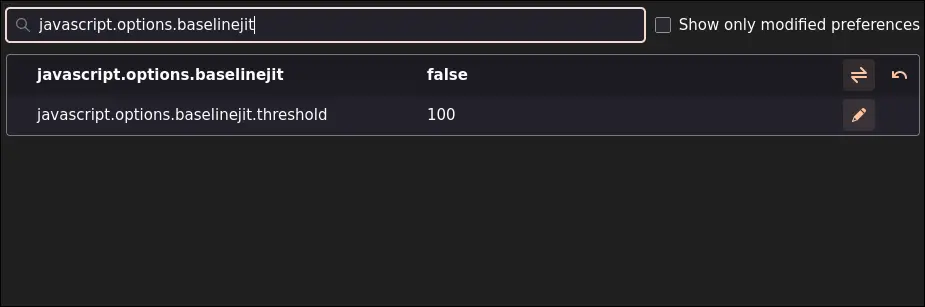
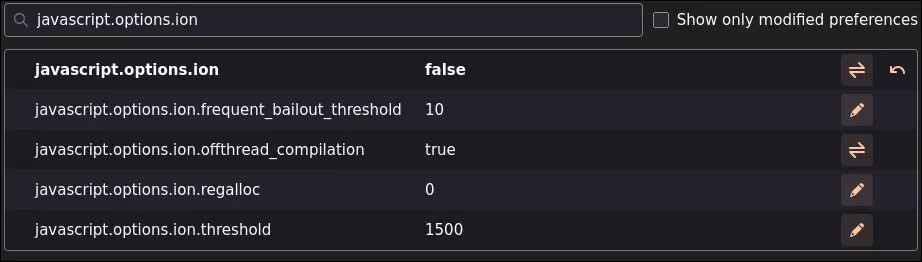
On desktop, it’s really easy for Firefox. You just need to go to about:config, search for javascript.options.ion and javascript.options.baselinejit, and then disable both of them.
It will look like this:
Chromium-based
As for the Chromium family, it can be quite complex as it has a lot of different ways to get it to work for different browsers, etc. However, generally, you can run the Chromium-based browser with the --js-flags=--jitless flag to disable JIT.
Edge
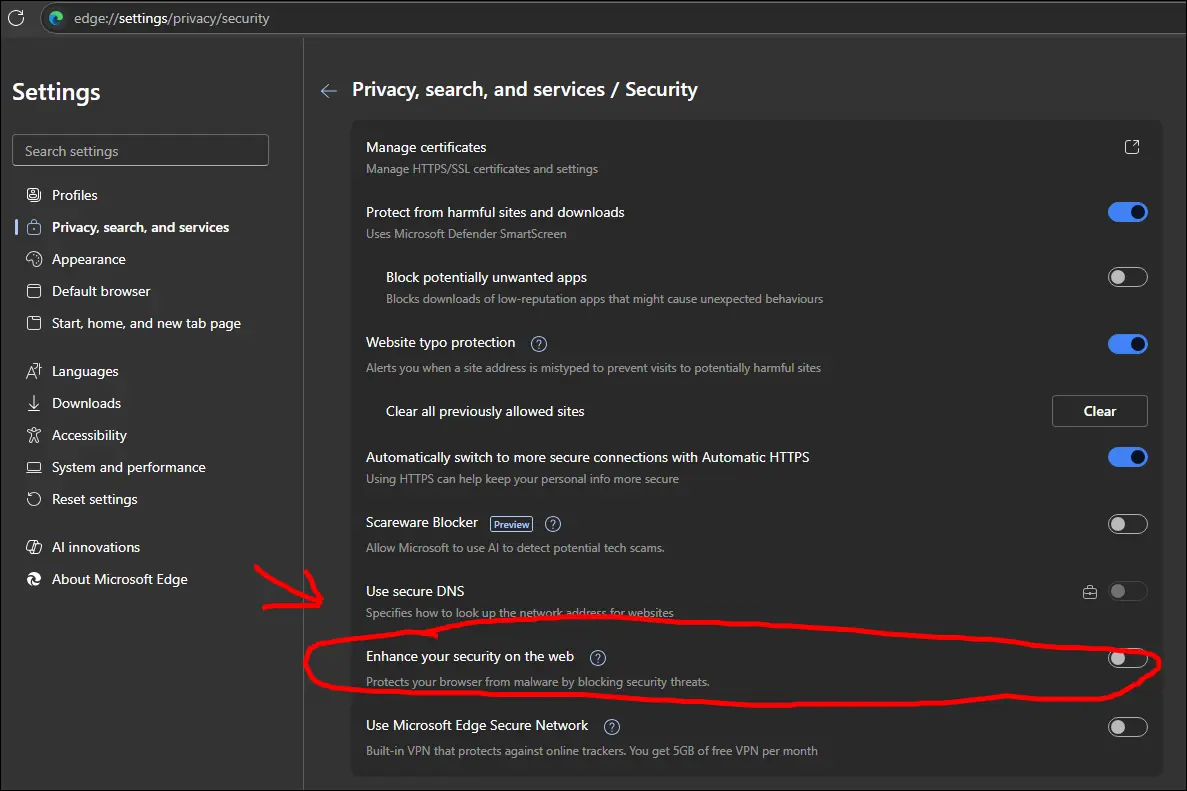
Edge is one of the “special” cases because it has an option to disable JIT in the user settings. You can simply enable the option pointed to in the image below. The only reason I even mention this chrome installer browser is because the this setting option.
Note
I will skip any macOS browsers because I cannot verify the integrity of the information I obtained from the internet (i.e., I don’t own a Mac, and I never will ever).
Leave a comment