
The writing is on the wall: almost all modern social media kinda sucks. They shove all the short content, ads, and spyingtracking into your throat. You are not in control anymore. It happened to me too. It touched my limit when I found myself mindlessly scrolling through Instagram Reels for half an hour after just messaging a friend. That is why I decided to remove the app from my phone and use Firefox web app to make this:
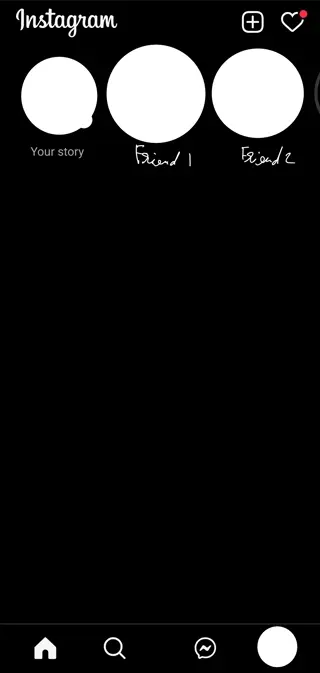
Of course, I need to censor some personal stuff, but as you can see, the home tab is empty, there is no mindlessly scrolling available, and the Reels button is not there anymore. If this seems interesting to you, then feel free to continue reading this blog.
How?
Before actually taking steps and doing the “debloat” steps, please read the pros and cons first.
Pros
- Better privacy (stops trackers, ads, etc.)
- Removes distractions
Cons
- Mostly no notifications (there are some social media platforms that will have push notifications, but some don’t)
- The web app experience is not as polished as the Android app
- The app can be a bit slower
Install Firefox
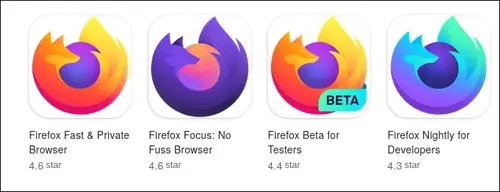
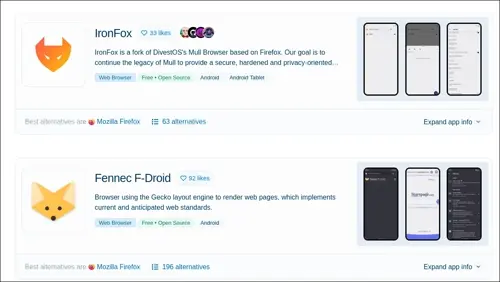
First, you will need Firefox for Android, as I mentioned in the title of the blog. You can choose any flavor, but I recommend that most people stick to the official Mozilla version instead of forks. For the reasons, read my other blog post about hardening Firefox for Android. It’s also useful to read that blog to learn more about Firefox hardening on Android. Generally, you should just turn off Firefox telemetry as a first step toward better privacy.
Install uBlock Origin on Firefox
This step is really easy. You just go to the website, then click on “Add to Firefox”.
Setup uBlock
You can go into the uBlock settings after installation and enable and fine-tune blocklists, but it’s out of scope for this blog, so you can read this one if you want to know more.
If you want to block shorts on YouTube, Instagram, and Facebook, this is a list from ricardofauch that will help you do that. I only tested it on Instagram, which means I’ve never tried it on YouTube yet, so I’m not sure how well it works. The Ricardofauch’s list is a fork of this list from gijsdev. So, if YouTube short blocking is important for you, you can also use both at the same time with a small price of duplication.
Now, after setting up the blocklist, you should be able to see that in Firefox, Instagram no longer has the Reels button, but there is still the homepage full of Reels. You can use the uBlock Origin element picker to remove it.
This is a simple example:
Set the web to homescreen
This set will make the web app appear on your home screen like all the other normal apps and behave like one too (just with more privacy and freedom).
Leave a comment